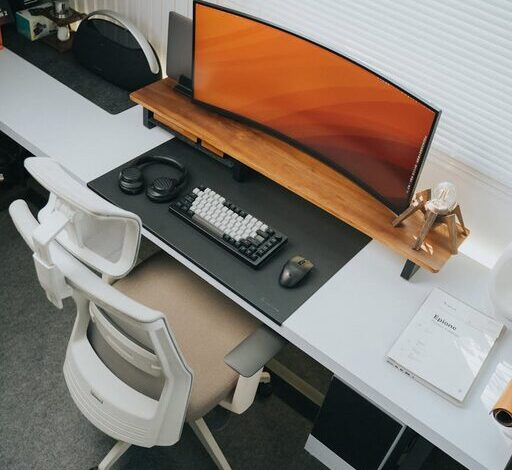

How to Create a Productive Home Workspace: Essential Tips
Creating a productive home workspace is key to maintaining focus and efficiency, especially with more people working remotely or studying from home. A well-designed environment supports concentration, reduces distractions, and enhances comfort, making your day more enjoyable and productive. Whether you have a dedicated room, a corner in your living room, or just a small desk, the following tips will help you optimise your space for success.
Choose the Right Location
Prioritise Quiet and Privacy
Find a spot in your home where you can work without interruptions. This might be a spare bedroom, a nook away from high-traffic areas, or even part of your dining table if that’s all you have. Aim to avoid places near noisy appliances or where family members frequently gather.
Natural Light Matters
Whenever possible, position your desk near a window to take advantage of natural light. Daylight not only improves your mood but also reduces eye strain compared to artificial lighting.
Invest in Comfortable Furniture
Select an Ergonomic Chair
A good chair supports your posture and prevents discomfort during long work sessions. Look for adjustable features such as height, lumbar support, and armrests to tailor the chair to your needs.
Use a Suitable Desk
Choose a desk with enough surface area for your computer, notebooks, and other essentials without cluttering your workspace. Standing desks or adjustable desks can offer flexibility and encourage movement during the day.
Organise Your Workspace
Keep Essentials Within Reach
Arrange frequently used items like pens, notepads, and chargers close at hand to avoid interruptions caused by searching for tools.
Declutter Regularly
Keep your desk tidy by removing unnecessary items. A clean space reduces stress and helps you focus.
Utilise Storage Solutions
Use shelves, drawers, or organisers to store supplies and paperwork neatly. Label containers to make things easier to find.
Manage Technology Efficiently
Ensure Reliable Internet Connection
A strong Wi-Fi signal is vital for smooth communication and online tasks. Consider upgrading your router or moving closer to your internet source.
Organise Cables
Use cable organisers, clips, or ties to prevent tangled cords. This not only looks neater but also reduces hazards and keeps your desk clear.
Minimise Digital Distractions
Close unnecessary tabs, mute notifications, and consider apps that block distracting websites during work hours.
Personalise to Boost Motivation
Add Inspiring Decor
Incorporate items that make you feel positive and motivated, such as plants, artwork, or quotes. Be careful not to overcrowd your space.
Include Elements for Comfort
Keep a water bottle nearby, have a small cushion for back support, or use a desk lamp with adjustable brightness to suit your needs.
Develop a Routine and Boundaries
Set Specific Work Hours
Even at home, maintaining regular start and finish times helps separate work life from personal life.
Define Your Workspace Limits
Try to work only in your designated area. Leaving the workspace at the end of the day can improve your mental separation between work and relaxation.
Take Breaks
Incorporate short, frequent breaks to stretch, move around, or rest your eyes to sustain productivity over time.
Optimise Lighting and Air Quality
Use Task Lighting
If natural light is insufficient, invest in a quality desk lamp with adjustable brightness to prevent eye strain.
Fresh Air Makes a Difference
Keep your workspace well-ventilated by opening a window or using an air purifier. Good air quality boosts concentration and energy levels.
Consider Noise Control
Use Noise-Cancelling Headphones
If ambient noise is unavoidable, headphones can help you focus better.
Background Sounds
Some people find low-volume background music or white noise beneficial. Experiment to find what works best for you.
—
Final Thoughts
Creating a productive home workspace isn’t about having the fanciest setup but about making smart choices that serve your work style and comfort. Regularly evaluate your setup and make adjustments as your needs evolve. With an organised, comfortable, and personalised workspace, you’ll find it easier to stay motivated and get more done, no matter where you work from.